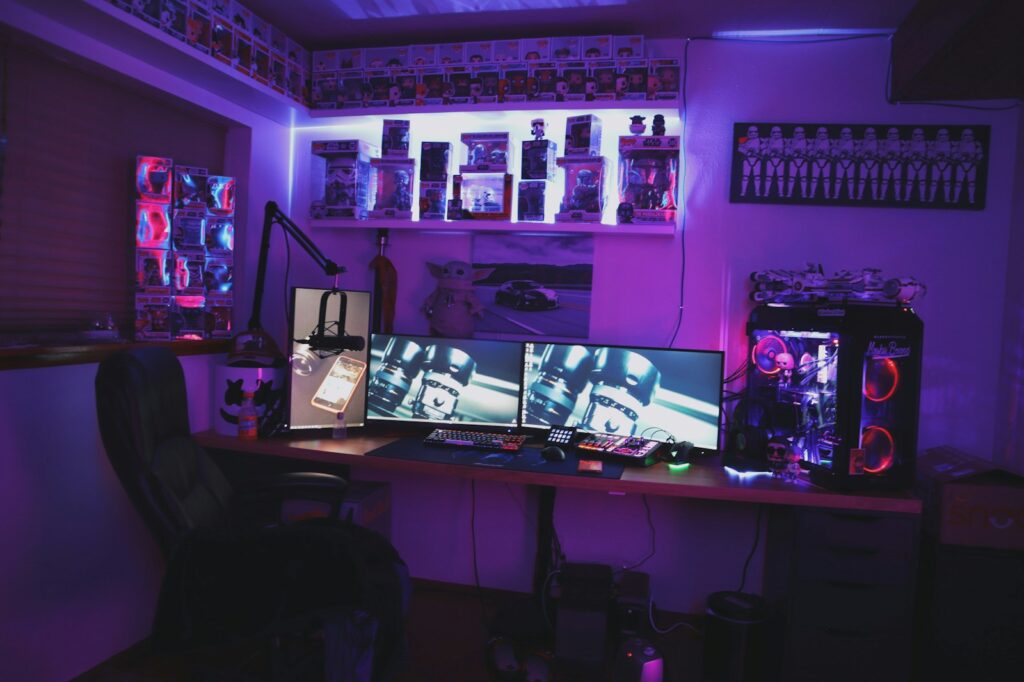
This document does not follow the same structure as my standard posts. This is a living system record — it will change as my setup evolves, tools change, and workflows improve. This is infrastructure, not content.
1) Core Objectives
The core objective of my streaming system is simple:
Deliver the highest quality livestream and recorded content with the least possible friction.
The goal is not perfection — it’s efficiency.
Less time producing content.
More time creating content.
This system is designed to:
Scale without complexity
Reduce setup friction
Minimize cognitive load
Maximize reliability
Enable simultaneous streaming + recording
Support fast content capture
2) Hardware Layer
(Physical production infrastructure)
- Streaming PC (components to be listed)
- Razer Webcam
- HyperX Microphone
- Elgato Stream Deck
This layer exists to be stable, simple, and modular — nothing exotic, nothing fragile.
3) Software Layer
(Operational logic layer)
- OBS
- OBS Move Plugin
- Voicemod
- Wave Link
- Streamer.bot
- Speaker.bot
- Stream Avatars
- Spotify
- Elgato Stream Deck Software
- Canva
This is the control layer — automation, routing, scenes, triggers, and content flow.
4) Network Layer
(Connectivity + remote capability)
- Ethernet connection
- Occasional Vultr server usage
Designed for stability first, expansion second.
5) Content Pipeline
Streaming is the easy part.
The real system is what happens after the stream.
Using OBS, I run three core functions simultaneously:
- Streaming
- Recording
- Replay Buffer
When I go live, I immediately start recording and enable the replay buffer.
This creates a clean content pipeline:
- No raw Twitch VOD downloads
- No DMCA contamination in local files
- Local HDD = primary archive
- Twitch = backup source only
Replay Buffer allows instant capture of clean horizontal clips for later editing, without needing to pull from platform VODs.
Flow:
Live Stream → Local Recording → Replay Buffer Clips → Edit → Publish
Twitch = redundancy, not dependency
This turns every stream into a content factory, not just a broadcast.
6) Automation Layer
The system is designed to reduce human friction.
A single Stream Deck button:
- Launches all streaming software
- Prepares OBS
- Loads the correct scene
- Starts Spotify
- Prepares the environment
By the time the system finishes loading, the only manual action left is pressing Start Streaming.
This removes startup resistance and decision fatigue.
7) Evolution Path
This started as a hobby system.
Long-term, the goal is a full content production infrastructure:
- Multi-format content production
- Modular setups
- Portable streaming
- Remote streaming capability
- IRL production
- Global access
- Redundant capture systems
- Scalable workflows
The vision is a content production suite, not a “stream setup.”